
VisitBest guide
Best Laptops Under ₹25,000 in India (2026)
Five laptops that were genuinely listed under ₹25,000 on Amazon.in when checked on 29 October 2026 — Chromebooks, one Windows laptop and Android laptops…
In this guide
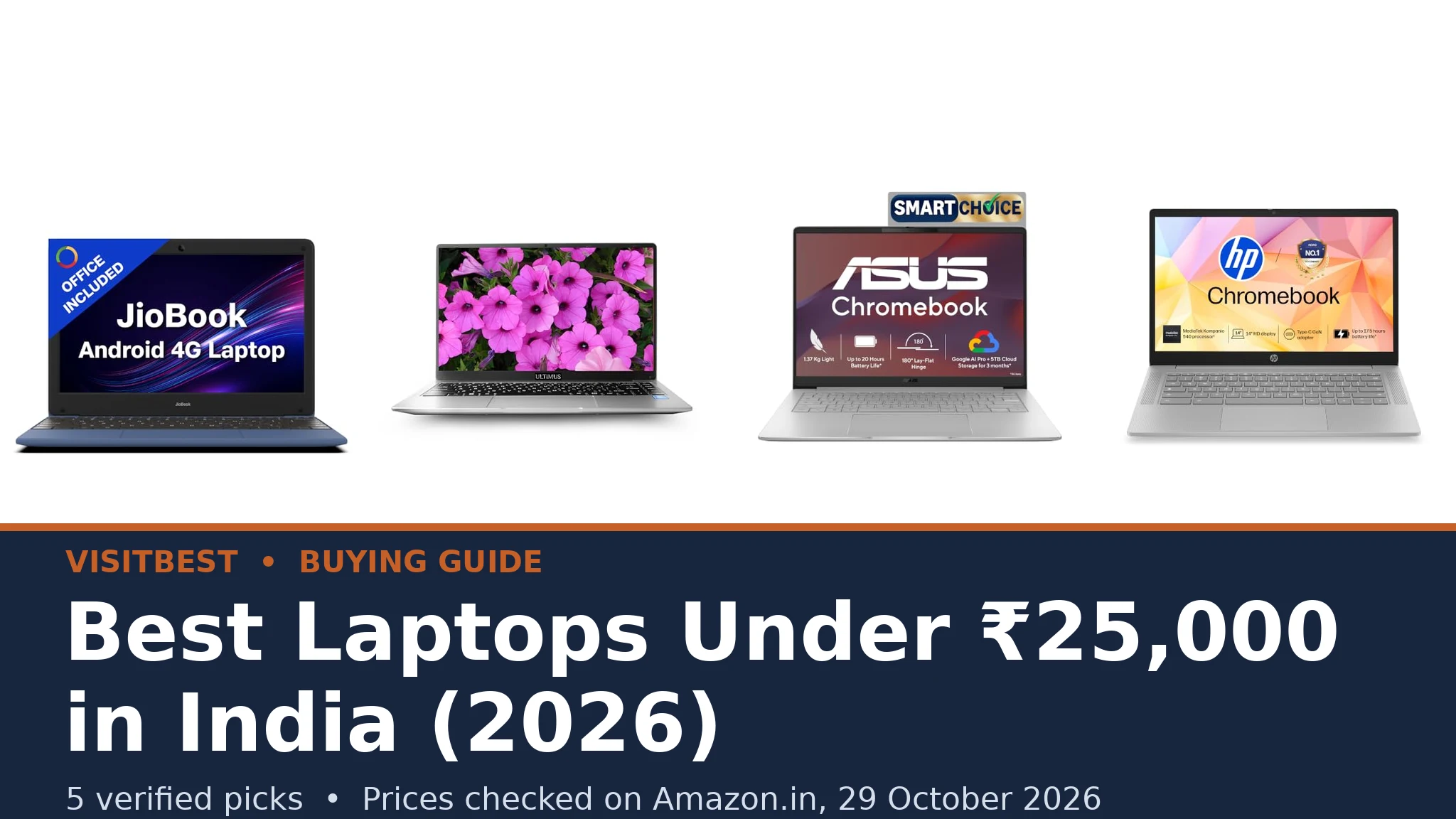
A budget of ₹25,000 sounds comfortable for a laptop, but in October 2026 it buys less than most buyers expect. The honest truth is that almost every genuinely new laptop sold under ₹25,000 in India right now is a Chromebook or an Android-based laptop, with the occasional entry-level Windows machine from a smaller brand. That is not necessarily bad news — for schoolwork, online classes, browsing, documents and video calls, these machines are genuinely useful — but it does mean you should buy one with your eyes open. This guide lists only the models we could verify on Amazon.in at or under ₹25,000, explains exactly what each one can and cannot do, and skips the inflated listings, out-of-stock pages and renewed products that pad out most lists in this segment.
Every model below was checked on Amazon.in on 29 October 2026 and was listed at or under ₹25,000 at the time of checking. Prices in this segment change frequently — sometimes every week, and sharply during sale periods — so treat each figure as the price when checked, not a promise. Always confirm the live price with the Check price on Amazon button before you buy. If a model has drifted above ₹25,000 when you read this, the buying advice in the later sections will help you judge whether it is still worth it.
Quick Answer
Short on time? If you need the cheapest usable laptop with internet built in, the JioBook 11 (₹10,990 when checked) has in-built 4G and weighs under a kilogram. If you need real Windows software, the Ultimus APEX Bold N (₹17,990) is the only Windows laptop in this list — and it also has the most RAM and the fastest storage here. If you want the best screen, the ASUS Chromebook CM14 (₹20,990) is the only Full HD display in the group. If you want a big-brand Chromebook with roomier storage, the HP Chromebook 14a (₹22,990) doubles the storage to 128GB. And if your world is Android apps, the Primebook 2 Neo (₹23,990) runs them natively in a laptop shell.
The 5 Verified Picks at a Glance
| Model | Price when checked | System | Processor | RAM | Storage | Display |
|---|---|---|---|---|---|---|
| JioBook 11 | ₹10,990 | JioOS (Android-based) | MediaTek MT8788 octa-core | 4GB | 64GB eMMC | 11.6-inch HD |
| Ultimus APEX Bold N | ₹17,990 | Windows 11 Home | Intel Pentium N4200 quad-core | 8GB | 256GB SSD | 14.1-inch HD IPS |
| ASUS Chromebook CM14 | ₹20,990 | ChromeOS | MediaTek Kompanio 540 | 4GB | 64GB eMMC | 14-inch Full HD |
| HP Chromebook 14a-nm0004MU | ₹22,990 | ChromeOS | MediaTek Kompanio 540 | 4GB | 128GB UFS | 14-inch HD |
| Primebook 2 Neo | ₹23,990 | PrimeOS 3.0 (Android 15) | MediaTek Helio G99 | 6GB | 128GB UFS | 11.6-inch HD IPS |
Prices are the Amazon.in listing prices recorded on 29 October 2026. Specifications are as stated in each manufacturer's Amazon.in listing.
Best Laptops Under ₹25,000 in India — Reviewed
1. JioBook 11 — the cheapest way to get online anywhere

Listed at ₹10,990 when checked on 29 October 2026 — less than half the budget — the JioBook 11 is built around one idea: a simple laptop that is always connected. It has in-built 4G LTE alongside dual-band Wi-Fi, so a school student can join a class or a grandparent can make a video call from anywhere with Jio coverage, without depending on home broadband. At 990 grams it is the lightest machine here, and the listing bundles a lifetime copy of SoftMaker Office 2024 for documents and spreadsheets.
Be clear about what it is, though. The JioBook runs JioOS, which is based on Android — you get Android apps and a browser, not Windows software. The 11.6-inch HD screen and 64GB of storage are fine for classes, forms, email and streaming, but this is a second computer or a first learning laptop, not a machine for heavy work. Storage can be expanded with a microSD card up to 256GB, which helps.
- Processor: MediaTek MT8788 octa-core, 2.0 GHz
- RAM / storage: 4GB LPDDR4 / 64GB eMMC, microSD expansion up to 256GB
- Display: 11.6-inch HD (1366 × 768) anti-glare
- Connectivity: in-built 4G LTE, dual-band Wi-Fi, Bluetooth, HDMI
- Battery / weight: up to 8 hours as listed / 990 g
- Warranty: 1 year, carry-in
- Best for: school students, first-time users, anyone who needs 4G on the move
2. Ultimus APEX Bold N — the only real Windows laptop in this budget
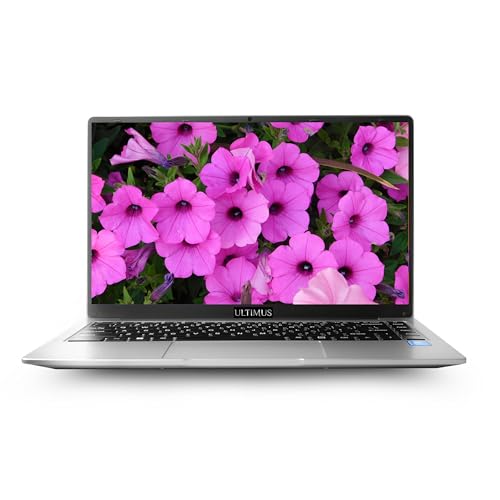
Listed at ₹17,990 when checked on 29 October 2026, the APEX Bold N is the pick that matters most in this guide, because it is the only machine here that runs full Windows 11 Home. If you need desktop software — Tally, the full Microsoft Office, exam or banking applications that only exist for Windows — this is your only verified option under ₹25,000. It also has the strongest paper specifications in the list: 8GB of RAM and a proper 256GB SSD (expandable up to 1TB), where the Chromebooks make do with 4GB and slower eMMC storage.
Now the honest caveats. Ultimus is a small Indian brand (made by Futopia Global), so its service network is thinner than HP's or ASUS's — check that a service centre covers your city before buying. The Intel Pentium N4200 is an older, low-power quad-core chip: it handles documents, browsing and video calls comfortably, but it will feel slow with many heavy tabs, large spreadsheets or any photo editing. The 14.1-inch screen is HD rather than Full HD, and the webcam is basic. Buy it for the Windows licence, the RAM and the SSD — not for speed.
- Processor: Intel Pentium N4200 quad-core, up to 2.8 GHz (as listed)
- RAM / storage: 8GB / 256GB SSD, expandable up to 1TB
- Display: 14.1-inch HD (1366 × 768) IPS anti-glare, 180° hinge
- System: Windows 11 Home
- Ports: HDMI, SD card slot, USB 2.0 and USB 3.0 (as listed)
- Warranty: 1 year manufacturer warranty (battery and adaptor 6 months, as listed)
- Best for: office work that needs Windows software, students who must run desktop apps
3. ASUS Chromebook CM14 — the best screen under ₹25,000

Listed at ₹20,990 when checked on 29 October 2026, the ASUS Chromebook CM14 (model CM1405CM4A-S60034) stands out for one simple reason: it is the only laptop in this guide with a Full HD screen. The 14-inch 1920 × 1080 anti-glare display is noticeably sharper for reading, documents and video than the HD panels everywhere else here, and at 300 nits it is brighter too. The MediaTek Kompanio 540 processor with 4GB of LPDDR5X RAM keeps ChromeOS feeling quick for browsing, classes and writing, and the 180° lay-flat hinge is handy for sharing the screen.
The compromise is storage: 64GB of eMMC fills quickly if you download a lot of Android apps or offline video, although ChromeOS is designed around cloud storage and a microSD card or external drive solves most of it. Remember what a Chromebook is — it runs the Chrome browser and Android apps, not Windows programs. If your work lives in Google Docs, the web and Android apps, this is the most polished machine in the list.
- Processor: MediaTek Kompanio 540
- RAM / storage: 4GB LPDDR5X / 64GB eMMC
- Display: 14-inch Full HD (1920 × 1080) anti-glare, 300 nits
- System: ChromeOS, with Google Play Store Android apps
- Connectivity: Wi-Fi 6, Bluetooth 5.4
- Battery / weight: 42Wh / 1.37 kg
- Warranty: 1 year
- Best for: students and writers who read and watch a lot on screen
4. HP Chromebook 14a — the big-brand Chromebook with double storage
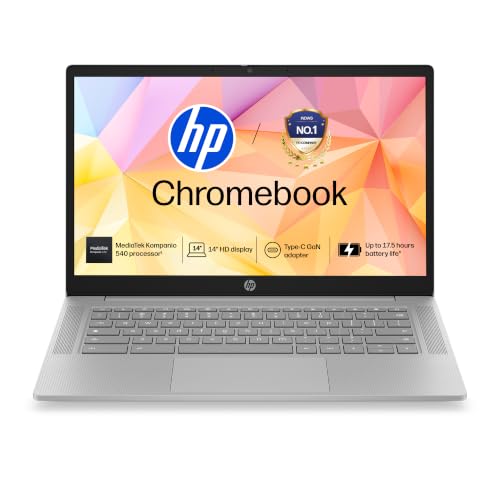
Listed at ₹22,990 when checked on 29 October 2026 (it was ₹19,990 earlier in October, which shows how fast these prices move), the HP Chromebook 14a-nm0004MU answers the ASUS's main weakness: it carries 128GB of UFS storage — twice the space, and a faster type than eMMC — so there is real room for Android apps, downloads and offline files. It uses the same MediaTek Kompanio 540 processor with 4GB of RAM, adds a larger 47Wh battery with fast charging (about 50% in 45 minutes, as listed), and an HD webcam with a privacy shutter for classes and calls.
The trade-off against the ASUS is the screen: this is a 14-inch HD (1366 × 768) panel at 250 nits, perfectly serviceable but visibly less sharp than the CM14's Full HD display. Choose the HP if storage space and HP's wider service network matter more to you than screen sharpness; choose the ASUS if they do not. HP also bundles 100GB of Google One cloud storage for a year, as listed.
- Processor: MediaTek Kompanio 540
- RAM / storage: 4GB LPDDR5 / 128GB UFS
- Display: 14-inch HD (1366 × 768) micro-edge anti-glare, 250 nits
- System: ChromeOS, with Google Play Store Android apps
- Connectivity: Wi-Fi 6, Bluetooth 5.4
- Battery / weight: 47Wh with fast charge / 1.35 kg
- Warranty: 1 year
- Best for: buyers who want a Chromebook with room to grow, from a big brand
5. Primebook 2 Neo — the Android laptop for app-first users
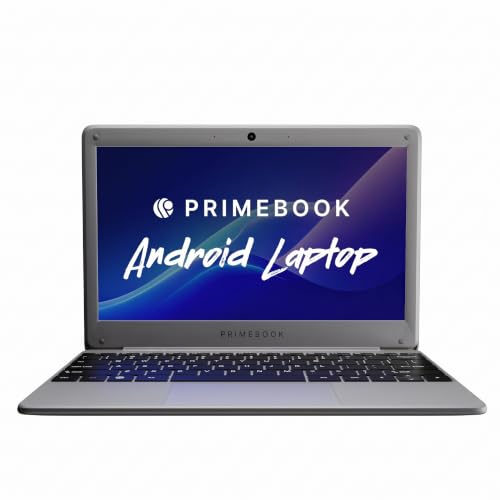
Listed at ₹23,990 when checked on 29 October 2026, the Primebook 2 Neo is an Android laptop from the Indian brand Primebook, running PrimeOS 3.0 based on Android 15. Its MediaTek Helio G99 processor is a capable phone-class chip, and with 128GB of fast UFS 2.2 storage (expandable by microSD up to 512GB) it feels responsive for Android apps, light games, video and schoolwork. At about 1.1 kg with an 11.6-inch HD IPS screen, it is a very portable machine for a child or student whose digital life is already Android apps.
One thing to check before ordering: Amazon's own product table for this model lists 6GB of RAM, while the current listing headline says 8GB — the model has been sold in both configurations, so confirm the RAM on the product page for the exact unit you are buying. And be sure you want an Android laptop: like the JioBook, it runs Android apps and a browser rather than Windows software, so it suits app-first users, not anyone who needs desktop programs.
- Processor: MediaTek Helio G99 octa-core, 2.2 GHz
- RAM / storage: 6GB LPDDR4X as per Amazon's product table (a refreshed listing headline says 8GB — verify before ordering) / 128GB UFS 2.2, microSD up to 512GB
- Display: 11.6-inch HD (1366 × 768) IPS
- System: PrimeOS 3.0, based on Android 15
- Weight: about 1.1 kg
- Warranty: 1 year
- Best for: children and students who live in Android apps
Chromebook, Windows or Android Laptop — Which Should You Choose?
This is the real decision in this budget, and it matters more than any specification. A Chromebook runs Google's ChromeOS: essentially the Chrome browser plus Android apps from the Play Store. Chromebooks start in seconds, rarely slow down, are largely immune to Windows-style viruses, and update themselves quietly. They are ideal if your work is in a browser — Google Docs, Gmail, online classes, web-based office tools — but they cannot run Windows desktop software, and they assume you are online most of the time.
A Windows laptop runs the full desktop system most offices and exam bodies expect, including software like Tally and the complete Microsoft Office. The catch at this price is hardware: a sub-₹25,000 Windows machine has a weak processor, so it will feel slower than a Chromebook costing the same money, and it needs the usual Windows care — updates, antivirus, storage clean-ups. Choose Windows only if you specifically need Windows software; that is exactly why the Ultimus above earns its place despite its modest chip.
An Android laptop (JioBook, Primebook) is a phone-style system in a laptop body: familiar apps, a touch-friendly store, long battery life and simple operation, with documents handled by bundled or downloadable office apps. They are the easiest machines here for children and first-time users, and the hardest to break — but they are not a substitute for a real computer if you need desktop-class software or serious multitasking.
What ₹25,000 Realistically Buys in 2026
Set your expectations by task, not by advertising. Every machine in this guide will handle web browsing, email, online classes and video calls, Google Docs or bundled office apps, and HD video streaming without complaint. Battery life is generally a strength — these low-power processors sip electricity compared with gaming laptops. Portability is another: nothing here weighs more than about 1.4 kg.
What this budget will not do: modern PC gaming (at most, light Android and browser games), heavy video editing, large Photoshop files, programming with big local toolchains, or dozens of browser tabs at once on a 4GB machine. Screens are HD almost everywhere — the ASUS CM14's Full HD panel is the exception, which is why it is highlighted. If your main work is documents and browsing and you can stretch the budget later, a laptop in the ₹35,000–₹45,000 range is where conventional Windows laptops with modern processors begin; below that, the five machines above are the honest options.
What to Check Before You Buy
RAM. For ChromeOS and Android laptops, 4GB is workable because the systems are light. For Windows, treat 8GB as the practical minimum — a 4GB Windows laptop in 2026 is a frustrating experience, which is why no 4GB Windows machine appears in this guide.
Storage type matters as much as size. An SSD (Ultimus) is fastest; UFS (HP, Primebook) is a good middle ground; eMMC (JioBook, ASUS) is slowest and usually comes in small 64GB sizes that fill up fast. If you keep photos, downloads or offline video on the machine, prefer 128GB or more, or budget for a microSD card where the slot exists.
Chromebook update expiry. Every Chromebook has an Auto Update Expiry (AUE) date after which Google stops sending updates. All the Chromebooks here are recent models, but before buying any Chromebook, it is worth checking the model's AUE date on Google's official Auto Update policy page — a machine near its expiry is a poor buy however cheap it is.
Warranty and service. Everything in this guide carries a 1-year brand warranty as listed. Big brands (HP, ASUS, Lenovo) have service centres in most cities; smaller brands (Ultimus, Primebook) may rely on fewer centres or courier service, so check coverage for your PIN code on the brand's website before ordering. Also buy from the brand's authorised seller on Amazon.in, and keep the invoice — you will need it for warranty claims.
Price discipline. Finally, re-check the price on the day you buy. This segment's prices swung by ₹3,000–₹5,000 within a single month during our October 2026 checks. If a pick has moved above ₹25,000, compare it against the next model up from the same brand before paying — sometimes the better machine is only slightly more once a festival price ends.
Frequently Asked Questions
Can I play games on a laptop under ₹25,000?
Light games, yes — Android games on the Primebook and JioBook, and browser games on any of them. Modern Windows PC games, no: none of these machines has the processor or graphics power for them, and no honest guide should suggest otherwise.
Is a Chromebook good for online classes?
Yes — it is arguably the best tool here for that job. The browser handles Google Meet, Zoom and Teams, every model listed has a webcam, and Chromebooks are simple enough that schools themselves issue them to students.
Can I use Microsoft Office on these laptops?
On the Ultimus, yes — the full Windows desktop version. On the Chromebooks and Android laptops, you would use the web versions of Word and Excel in the browser, or Google Docs; the JioBook also bundles SoftMaker Office 2024 for offline documents, as listed.
Is 4GB RAM enough?
For ChromeOS and Android, yes for everyday tasks. For Windows, no — insist on 8GB, as the Ultimus offers. If you keep many tabs open, prefer more RAM over a marginally faster processor in this segment.
Why are there only five laptops in this guide?
Because only five models passed all our checks: a live Amazon.in listing, a price at or under ₹25,000 when checked on 29 October 2026, specifications confirmed from the listing, and a real product image. Several better-known models were excluded because their current Amazon.in prices were above ₹25,000, their listings could not be verified, or they were renewed products. A short, honest list serves you better than a long, padded one.
Will these prices still be under ₹25,000 when I buy?
There is no guarantee — prices in this segment change frequently, and two of our five picks had already moved by ₹3,000 or more during October 2026 alone. That is why every model has a Check price on Amazon button: the figure in this article is the verified price on 29 October 2026, and the live price is one click away.
Conclusion
Under ₹25,000, the winning move is to choose the operating system first and the brand second. Pick the Ultimus APEX Bold N if you need Windows, the ASUS Chromebook CM14 for the best screen, the HP Chromebook 14a for big-brand Chromebook storage, the Primebook 2 Neo for Android apps, and the JioBook 11 if the budget is tightest and 4G connectivity matters most. Whichever you choose, confirm the live Amazon.in price on the day you buy — in this segment, patience and a price check are worth real money.
Researched in October 2026. Models, specifications and warranties are from the manufacturers' Amazon.in listings; every price was checked on Amazon.in on 29 October 2026 and can change with offers and stock.
This post contains affiliate links. As an Amazon Associate, we earn from qualifying purchases. This does not affect our editorial independence.
Keep exploring

Best Perfume in India (2026)
Discover the best perfume in India — 18 top-rated fragrances with prices, ratings, scent profiles, comparison tables & Amazon links.

Best Coffee Brands in India (2026)
Discover the best coffee brands in India — Bru, Nescafé, Tata Coffee, Sleepy Owl, Rage Coffee, Continental & more.

Best Tea Brands in India (2026)
Discover the best tea brands in India — from Tata Tea and Brooke Bond to VAHDAM, Teabox, and Makaibari.